Exporting a field from Office Manager
This is the screenshot sequence of the steps required to export a field from the Office Manager Program.
-
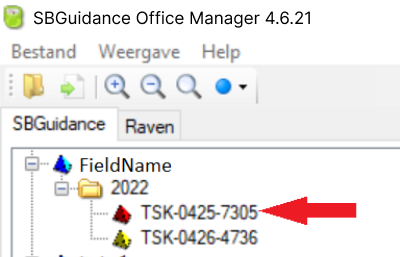
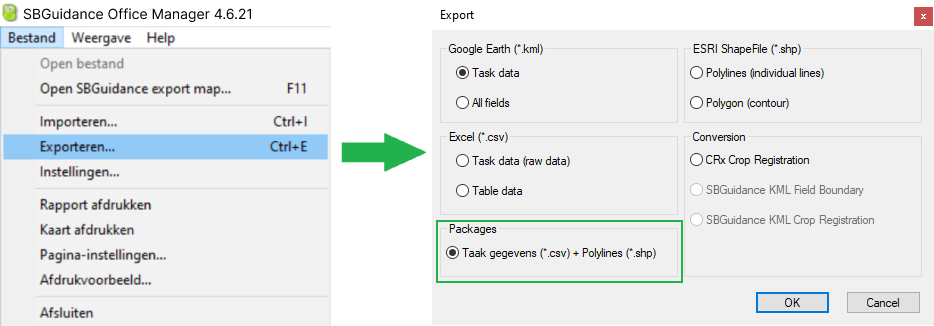
Select the name of the field that you want to export and from the list of tasks for that field, select your planting task. If you do not see the category packaged formats update your Office Manager version.
-
Export the field to a packaged (zip) file.
Downloading and Updating Office Manager
If you do not have Office Manager installed, or need to check for updates:
Download
You can download an installer for Office Manager from the Raven website:
Download Raven Applied Technology - Office Manager Installer
- Open the downloaded .exe file and follow the on-screen installation instructions.
Update Requirement
The export function to packaged formats is available starting from version 4.6.21.
- Raven provides an older version on their download page (v4.5.10).
- Action: After installing the base version, you will likely need to launch the program and use the built-in update feature to install the latest version.